Browser editor, not desktop software
Desktop broadcast graphics tools tie design to one installed, licensed machine. Smart Graphics opens in a tab — your whole team designs from anywhere, always on the latest version of every template.
Smart Graphics is a browser-based broadcast graphics editor built on HTML5. Compose complete graphics packages on a visual compositing canvas with 52 animation presets, SVG masks, image filters and independent IN/OUT subcompositions. The editor and the on-air output share the same render, so what you design is pixel-identical to what goes to air. And everything runs in the browser — a cloud broadcast graphics editor with no plugins, no After Effects, and no render machines to maintain.
Traditional workflows chain desktop broadcast graphics software, encoder plugins and dedicated render machines together. Smart Graphics replaces that whole pipeline with one URL.
Desktop broadcast graphics tools tie design to one installed, licensed machine. Smart Graphics opens in a tab — your whole team designs from anywhere, always on the latest version of every template.
Nothing to install in your encoder or graphics chain. The output is a standard HTML5 page — load it as a browser source in any tool that renders the web and it plays out with full transparency.
There are no on-prem render machines to buy, rack or maintain. The output renderer is a cloud HTML5 page, so a laptop and a browser are the entire graphics pipeline.
Desktop workflows design in one app and play out in another, with renders in between. In Smart Graphics the editor and the output are the same render — what you design is exactly what goes on air.
The pipeline — design to air
Everything you need to design lower thirds, full-screens, tickers and bugs — composed, animated and previewed in the same browser window. Follow one graphic from canvas to air.
Stage 01 — Design
Layers, masks and filters compose live on the canvas — no proxy previews, no exports. Real compositing, in the tab.
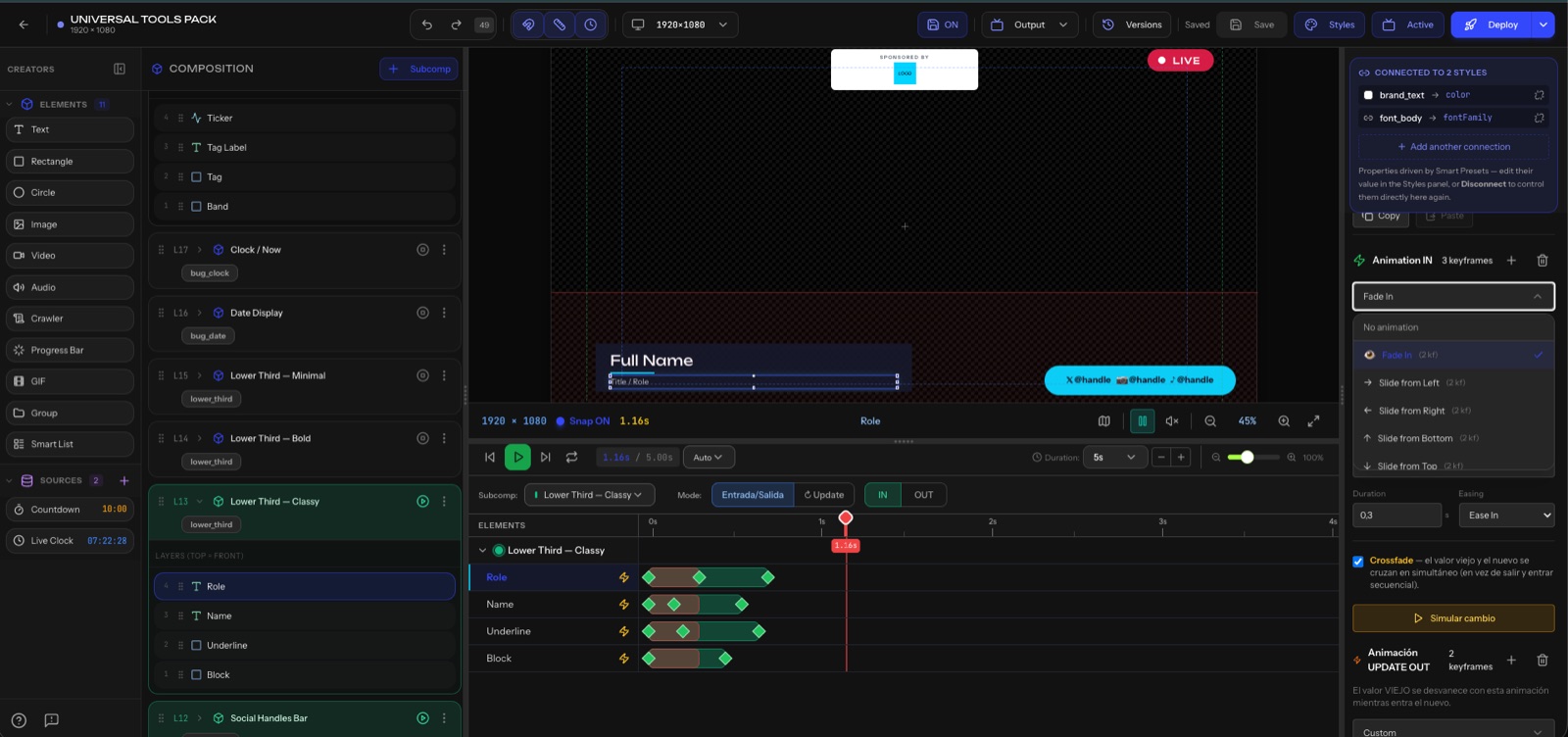
Layer text, images, video and shapes on a visual canvas with full control over position, stacking and timing — complete compositing in the browser.
Cut layers with scalable SVG masks for wipes, reveals and shaped containers that stay crisp at any output resolution.
Apply blur, color and effect filters directly to layers inside the editor — no round trips to an external image tool.
Stage 02 — Animate
Any layer animates in and out with the 52 presets — broadcast-grade movement without keyframing.
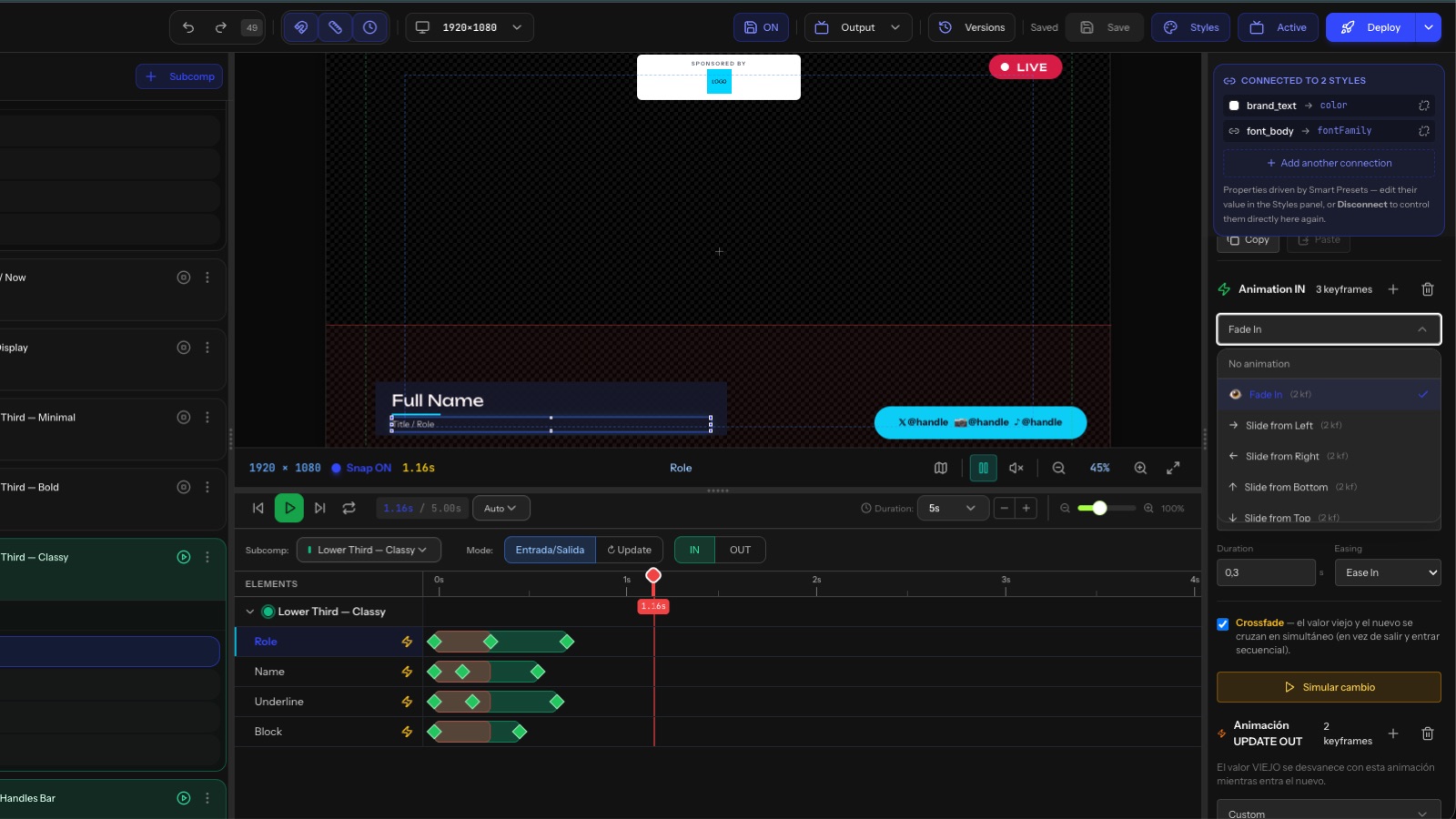
Animate any layer in and out with 52 built-in animation presets tuned for broadcast-grade motion — no keyframing from scratch.
Every subcomposition carries its own IN and OUT animation, so elements enter and leave air independently within a single graphic.
Stage 03 — Control
Assign finished graphics to buttons and take them to air in real time — lower thirds, full-screens and tickers fired from Smart Control, in the same browser.
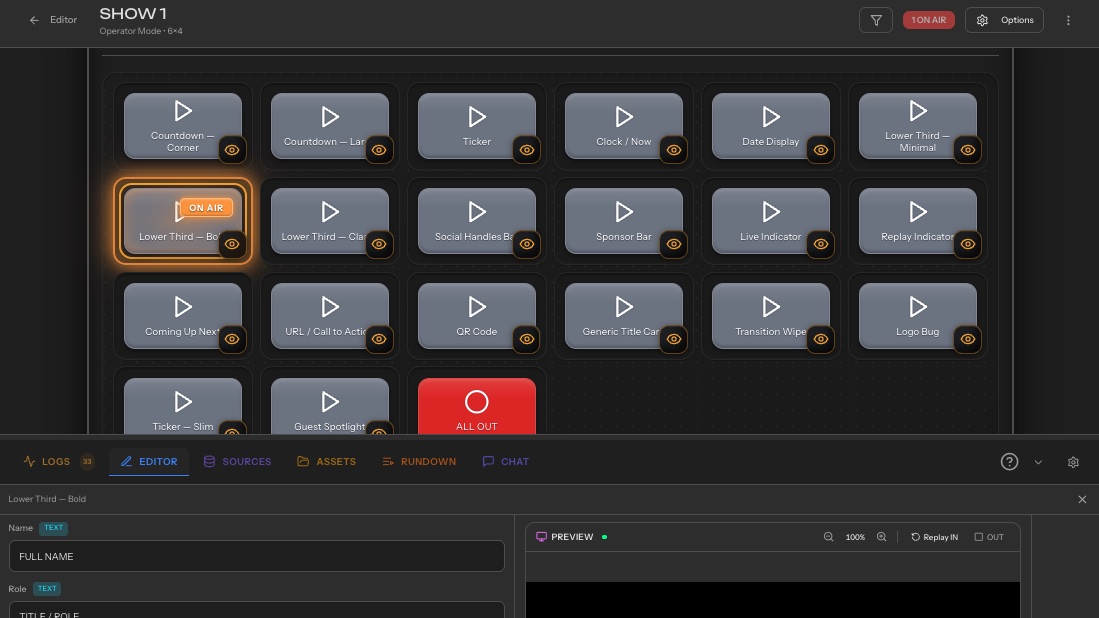
Fire any graphic to air on a single button, or chain it into Action Sequences that drive graphics and the rest of your stack together.
Update names, titles and data while the overlay is on air — changes render instantly, with no re-render step.
Stage 04 — On air
The editor and the output share one HTML5 render, so the preview is pixel-identical to air.
The editor preview and the output renderer share one HTML5 render. What you see while designing is exactly what your audience sees on air.
Smart Graphics is one module of SmartPanel, the cloud platform for broadcast graphics and live production control. It works hand in hand with Smart Control and Smart Rundown. Explore the full feature set, connect your stack through integrations, and see plans when you're ready to roll it out to the whole team.